
Archive
On the routine's page, press Archive and confirm. The routine leaves the list and keeps everything: its runs, its history, its notes. Runs of it still going end as cancelled.
To find it again, open the ellipsis in the Routines tab and, under Show, choose Archived. Take out on its page puts it back in the list.
Delete
Delete is offered only for an archived routine. On its page, open the ellipsis and choose Delete, or hold its row in the list.
It asks only if runs of it are still going. A bar at the foot of the screen says it was deleted, with Undo. Everything the routine already ran stays in History.
A run is deleted the same way, once it has ended. In Runs, choose Ended the same way, then swipe the run or hold it and choose Delete. An ended run's page has Delete too. A run still going has to be stopped first.
Recently Deleted
A Recently Deleted row appears when there is something in it: under the archived routines, under the ended runs, and in Settings › Storage.
Each row says how long it has left, such as "12 days left" or "Goes today". On each:
- Restore brings a routine back to the archive, with every run of it linked again. It brings a run back to History with its notes and values.
- Delete Now takes it for good. It asks first, because this cannot be undone.
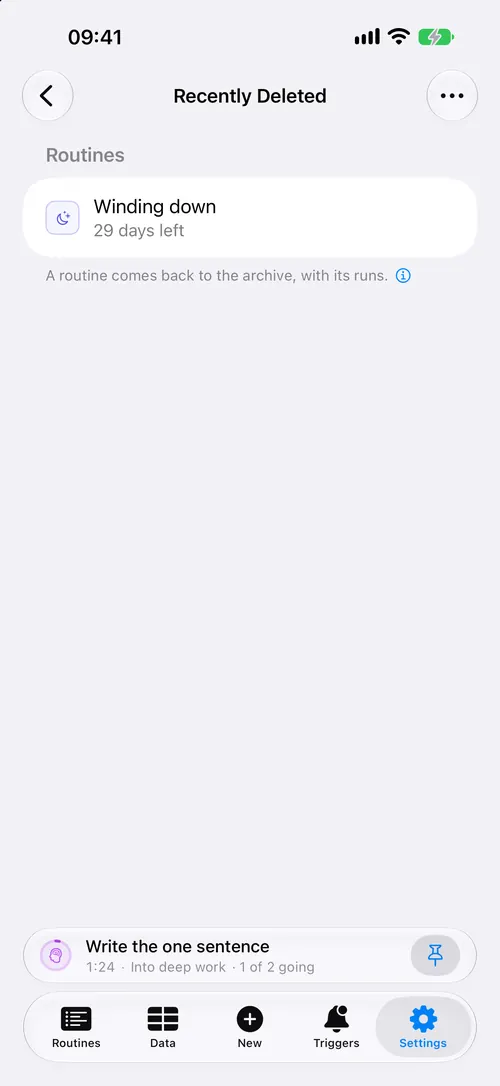
More at the top has Restore All and Delete All Now.
What stays, whatever you do
- The lines a run wrote in the log.
- The runs of a deleted routine. Each keeps the routine as it was when the run ended, so its page still shows the steps, and Again can bring the routine back.
With iCloud on
Deleting, restoring and Delete Now reach every device. A routine taken for good is not brought back by a device that was offline at the time. See iCloud sync.
When it goes wrong
There is no Delete on the routine. It is not archived yet. Archive it first.
There is no Recently Deleted row. Nothing is in it.
I deleted everything by mistake. A backup from Settings › Storage puts back what is missing. So do the daily copies listed there under Copies on this phone.