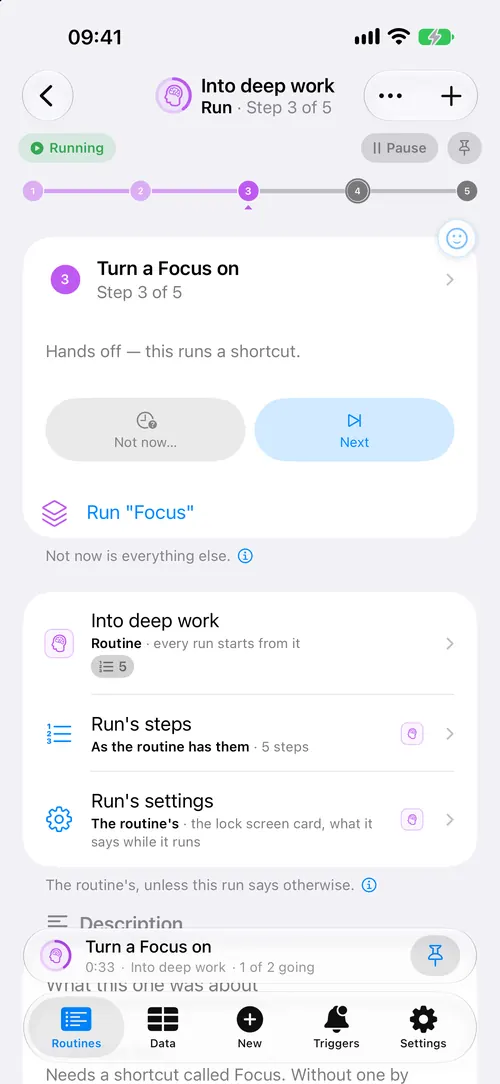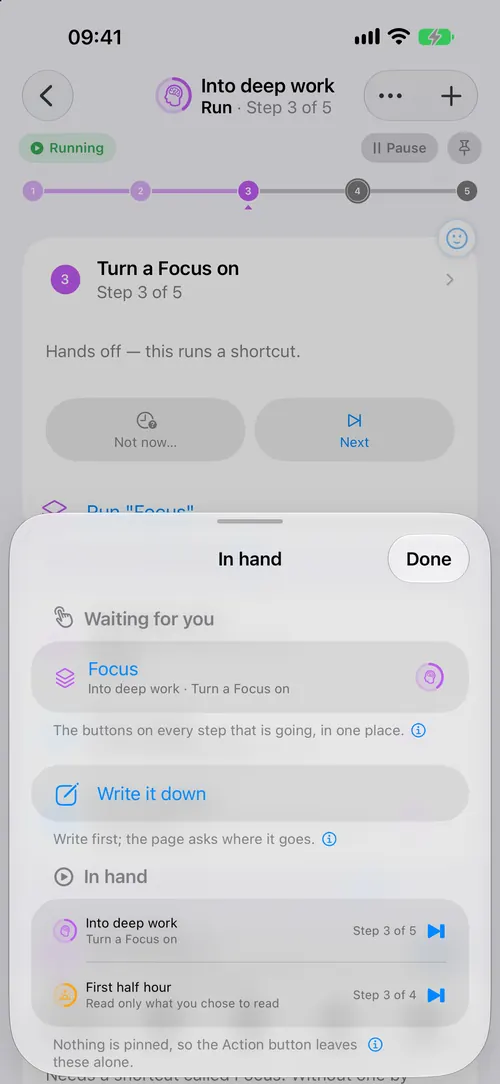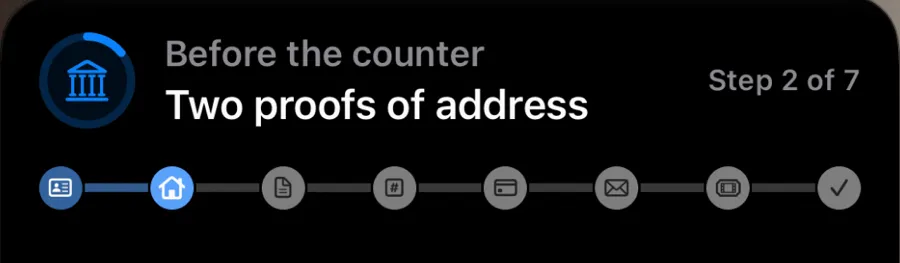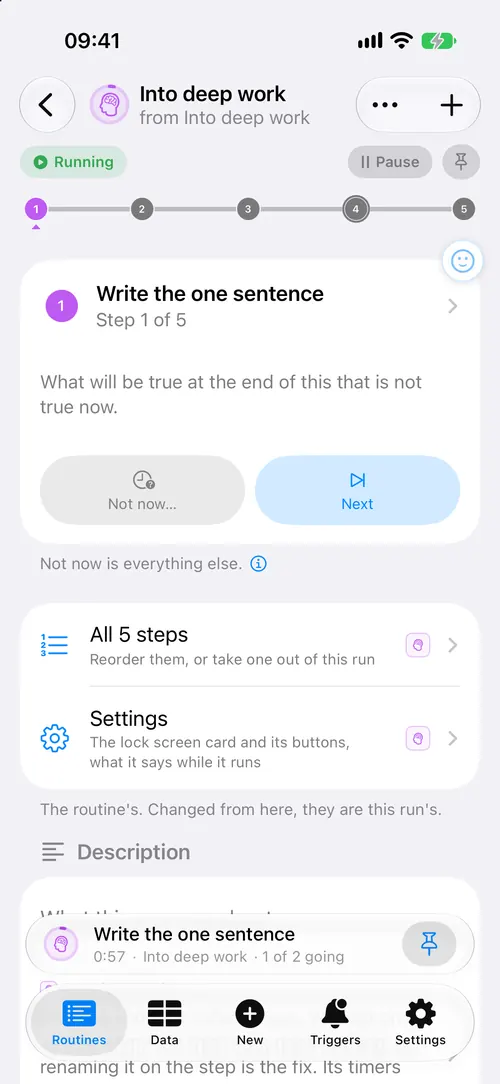
The step in hand.
One step on screen, the rest a row away.
Say what you do. The steps come back.
Routine Run turns a couple of sentences into a routine, then holds one step at a time, does the parts it can, and asks before anything you could not undo. iPhone and Apple Watch.
Free while in beta. After launch, 3 routines stay free forever.
3 routines free, forever.
On the Lock Screen, the run First half hour shows step 2 of 4, Move for three minutes, with 2 minutes 14 left, a Next button to move on, a button to write a note, and Not now, which sends the step to the end and leaves the deciding for later. The same step is on the Apple Watch with a Next button.
Most lists tell you what to do and then stand there.
This one holds the step you are on, knows what comes next, and can act.
Two lines is enough. The steps, roughly in order, the way you would tell somebody taking over from you.
What comes back is a draft. Change a step, drop the ones that are wrong, then keep it. Nothing is saved behind your back.
The model on your iPhone, where it has one, or the assistant you already use, through the share sheet. Or paste a list you already have, one step a line.
One step on screen, the rest a row away.
A timer, a Home scene, an alarm, a note written for you, and on iOS 27 a shortcut.
Set what a step does to happen only when you press it, and it waits for you on the phone, the Lock Screen and the wrist.
Next without unlocking.
The step you are on, above whatever else is open.
The step and what comes after it, on the Home Screen.
On your wrist, with the phone in a bag.
One press starts the routine you chose, or moves the run on.
Steps somebody else wrote, from a code at a counter, with nothing to install. In the beta, testers open it from TestFlight. For organisations
Add one, and it is yours to change.
Water, three minutes of moving, and the one thing today is about.
One sentence, everything else closed, then fifty minutes.
Look in the fridge before writing anything.
Keys, the thing you meant to take, and the house off behind you.
The 48 it ships with say it better than a sentence could. And if every planner so far has left you feeling behind, start here.
The first half hour, out of the door, winding down, awake at three. Seven of them.
The weekly shop, washing end to end, before people come round, the bills this month. Twelve.
Into deep work, a meeting you called, picking it back up, the week looked at. Eleven.
Tabata, run and walk, five sets, physio three times a day. Five.
A post from idea to published, a shoot shot by shot, a chapter at a time. Seven.
When something pages you, handing the pager over, after it is fixed. Six, and they can start themselves when another app pages you. How to set that up
No account to make, and no server unless you connect one, because nothing else here needs one. A routine you share travels inside the link itself, so the link keeps working whether or not anything of ours is still running. iCloud sync, if you turn it on, goes through your own private iCloud, and an assistant sees only what you send it. A routine you publish under a code goes to iCloud’s public database, and only when you press Publish. A connection you make, an address a pager or a script can send to, passes through our relay, which keeps the address and never what is sent.
Read the privacy policyFree while in beta. After launch, 3 routines stay free forever. Pro is for more.
3 routines free, forever. Pro for as many as you like.
See pricingA list keeps what to do. This keeps how you do it, and then does it with you.
Shortcuts runs when you are not there. This one runs while you are, and hands the parts it cannot decide back to you. The two work together: a shortcut can hand a routine to this app, and this app can call a shortcut.
Because something that acts for you without asking is only pleasant while it is right. You choose which steps wait for your press. Everything else it does on its own, and all of it can be undone.
Describe it in a sentence. The model on your iPhone, or ChatGPT or Claude through a free shortcut, writes it, and you look it over before it is kept. How it works
A run can be paused and picked up where it stopped, as the same run.
Deleted things stay 30 days in Recently Deleted.
If you turn on iCloud in the app's settings, your routines and runs stay in sync between your own devices through your private iCloud. It is off until you turn it on, and nothing passes through anything of ours.
Yes. Your routines, your runs and their record live on your phone. It goes online only for what you set up: iCloud sync, a webhook you typed in, an assistant you send something to, a routine you publish under a code, a connection you made, or a code you scan that opens steps kept in iCloud or on an organisation’s site.
Nothing, unless you publish a routine under a code or make a connection. A published routine’s steps are kept in iCloud’s public database with an identifier for your iCloud account, where we can see them. A connection keeps its address and a token for reaching your phone on our relay, and nothing that is sent through it. No account, no analytics, no ads, no tracking. The privacy page says exactly what leaves your phone, and when.
An iPhone with iOS 26.1 or newer, and an Apple Watch with watchOS 26 or newer if you want it on your wrist. Writing a routine on the phone itself needs Apple Intelligence. On iOS 27 a routine can also start from another app's notification, and a step's shortcut runs in the background.
English for now. Your own routines can be in any language you type.