
Nobody should wait an hour to learn they brought the wrong paper.
Your checklist already exists, on a PDF or a web page. People still arrive without it, because a PDF does not walk anybody through anything. A code at the door can.
Point the camera, and the steps are on the phone.
It opens as an App Clip: a small part of Routine Run that iOS runs without installing anything.
- 1Scan.
A QR code on the door, an NFC tag on the counter, or a link in the confirmation email.
- 2Check off what you have.
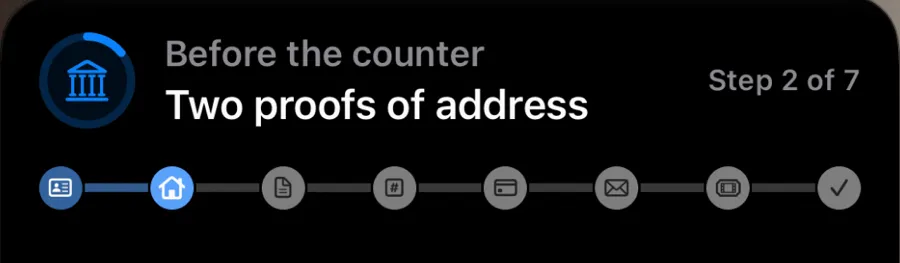
One step at a time, each saying what counts and what does not. A paper left in the car is Later, and the step comes back at the end.
- 3Put the phone away.
The step you are on stays on the Lock Screen while you wait.
- 4Know what comes next.
Which counter, what happens after, and the deadline for it.

Anywhere people arrive missing a step.
Offices and public services
Licences and IDs
Walk-in offices where one missing proof of address costs a second trip. The check splits by errand: new resident, renewal, a car registered somewhere else.
Permits and inspections
A code on the permit card opens the inspections for that kind of job, in order, with what has to be ready before the inspector arrives.
Enrolling a child
The documents a school asks for, and which of them a record from another school does not replace.
Before a storm
A checklist that runs against the storm’s clock: 72 hours, 48, 24. Which shelter takes pets, what a shelter will not take.
Businesses
Restaurants and cafés
The closing list next to the laminated one, and a new hire’s first shift, done the same way by whoever is on. Ordering stays with your point-of-sale.
Museums and galleries
A walk through the rooms, one step a room, with what to look at and how long the route takes. The phone stays in a pocket between rooms.
Exhibitions and trade shows
For exhibitors, move-in: badge, power, the stand checked before the doors open. For visitors, the stands worth seeing, in the order of the hall.
Shops
Returns at the counter: the receipt, the card you paid with, the box. Click and collect: what to bring and which door.
Things that come in a box
A code on the box for putting it together, one step at a time, with a timer on the step where the glue sets.
Hotels and rentals
Check-in when nobody is at the desk, and check-out by the door: trash, thermostat, the key in the lockbox.
Gyms and studios
A first visit: the locker, the induction, the class you booked, and what to bring next time.
Clinics
What to bring and when to stop eating, then the after-care as steps with times on them. No patient data goes anywhere.
What it does not do
It does not collect anything. There is no account to make and nothing is sent to us. If you keep the routine on your own site, the phone asks your server for that one file, as a browser asks for a page, and sends nothing about the visitor. If you publish it with Routine Run instead, it is kept in iCloud’s public database under your iCloud account, where we can see it too. When the visitor closes it, the walk is gone from the phone. Nothing to file a records request about and nothing to notify anybody of.
It does not take money or orders. A restaurant’s ordering and payment belong to its point-of-sale system. This guides people through steps.
It does not know your queue yet. “We will tell you when it is your turn” needs your queue system to send the signal. That is a second step, after a pilot shows the first one is worth it.
Somebody who wants the routine for next time can get Routine Run from the last step. Nobody has to.
Priced per location, billed once a year.
A location is one door with its own code: an office, a clinic, a shop, a gallery.
Pilot
$0
for 90 days, one location.
- Everything in Location
- We write the first routine from the checklist you hand out today
- One number to judge it by: visits that ended with “come back with…”
Location
$29
a location a month, billed yearly as $348.
- Your own App Clip card: your name, logo and place in Apple Maps
- “From your-domain” on every routine, checked against your site
- Official App Clip Codes to print
- As many routines as the location needs
- The routine on your own site, or published by you
Connected
$79
a location a month, billed yearly as $948.
- Everything in Location
- “Your turn” on the visitor’s Lock Screen, sent by your queue system
- Webhooks from Qminder, Waitwhile and others
- How many people scanned, by day
Launch offer: every plan is free while we are starting out. Billing is not switched on yet, and when it is, each organisation hears 30 days before and pays the price on this page from then. Government, schools and nonprofits: 10% off. A single person or a small shop can also publish a routine under a code from Routine Run itself, without a plan.
One office, one routine, ninety days.
The errand that sends people home
We write the first version from the checklist you already publish, and print the codes.
One number
Staff tally the visits that ended with “come back with…”, two weeks before and then during. A paper tally is enough.
Nothing to integrate
No IT project and no data agreement. The routine is a page your office can read and change.
Or publish it yourself
No website needed. Write the routine in Routine Run and press Publish for a code: it goes to iCloud under your account, and the code opens it the same way. Unpublish takes it down everywhere.
Which errand sends the most people home?
Write to support@routinerun.com with the checklist you hand out today.