
The Lock Screen card
The card shows the step, its countdown, and buttons such as Next (Finish on the last step), Again and Decide later. A paused run shows Resume.
- Choose the buttons in the routine's Settings → Live Activity, where Show it on the lock screen also turns the card off.
- Settings → Show runs on the lock screen turns it off everywhere.
- A card swiped away stays away until that run ends. Pin, at the top of the run's page, puts it back. See Live Activity buttons.
A step you must not miss
Open the step, then Settings → Timing, and set Lasts. Then:
- When it is reached: Mention it is a notification, Wake me an alarm.
- When it runs out: Remind me, and How. Move on by itself goes to the next step.
A notification is quiet under a Focus and the silent switch. An alarm rings through both and has to be dismissed, which does not end the run. Its second button is the card's first, usually Next. Moving on early takes the alarm back.
The reminder is on time. Move on by itself happens the next time the app is awake: iOS lets no app run at a chosen moment.
Times and dates
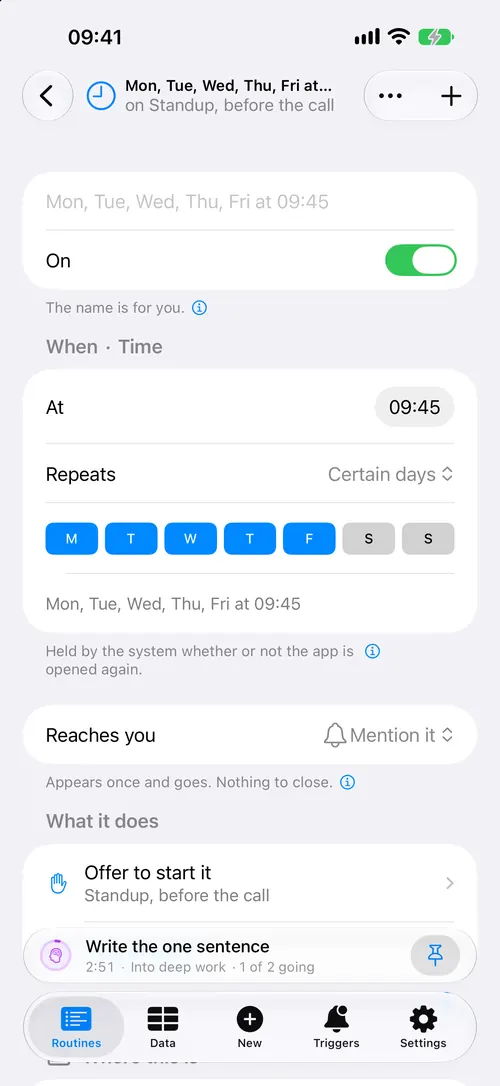
A trigger's Reaches you offers all four ways. Settings → Scheduling sets what a trigger uses when it says nothing.
| Way | What it does |
|---|---|
| Mention it | A notification. One of the 64 iOS holds for an app. |
| Put it in the day | An event in your calendar. |
| Ask until it is done | A reminder, until you tick it. |
| Wake me | An alarm. For a time, not a place. |
Focus
To let a notification through a Focus, open Triggers → More → Set up → Messages, pick the wording, and set Interruption to Time sensitive. See also Place and Focus.
What needs iOS 27
- Needs iOS 27 for anything to happen with no tap at all, such as a trigger starting a routine. See Answers in the background.
- On iOS 26, a card button pressed after the system closed the app starts it first, which can take seconds.
When something goes wrong
- Nothing arrives. Check notifications in iPhone Settings → Routine Run. Triggers → More → Set up → What will arrive shows what iOS holds.
- No alarm. Allow alarms in iPhone Settings → Routine Run.
- More in Nothing on the Lock Screen and A step did not fire.